 3zT
Browser Extensions
ChromeFree extensions for Chrome and other Chromium browsers. Zeus is the first one here, and new extensions will be added to this page.
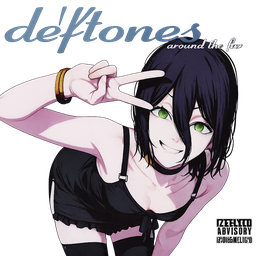
Zeus
Zeus turns Chrome's new tab into an anime neon video, animated space and stars, or an image or video you choose, with a clock, date, shortcuts, search with suggestions and an AI button.
Verify the files (SHA-256)
The fingerprint of each download. On Windows: certutil -hashfile file-name SHA256
- zeus-all.zip
df6d61391cb4100cc7d8ffd4950006dac6d69dff9f276e6fdae9d9e0f36c50ee - zeus-extension.zip
fa58bbd30a9001dd0bc8a2905d131ca29a31188bc0c31caf76e7db838692fd77 - zeus-themes.zip
94e6c2bc85ef321944e101ba71592490538dcf2e5b97e2526ae0ba84c393b269
The tool didn't load. Check your connection, then reload the page.
How to use it
- Press Download Zeus and unzip the file.
- Copy chrome://extensions, paste it into the address bar and turn on Developer mode.
- Drag the extension folder onto the extensions page.
- Open a new tab and customise it from the settings button.
Features
- Animated themesAnime neon (video), space and stars, galaxy, matrix, aurora, sunset, ocean, fireflies and true black.
- Your own backgroundUse an animated image or video (GIF, MP4 or WebM) with a dimming control.
- Clock and date40+ fonts or your own, with size, opacity and 12- or 24-hour time.
- Your shortcutsFrom your bookmarks bar: drag to reorder, remove or add your own, set the count and size.
- Search with suggestionsGoogle search with suggestions as you type and your recent searches.
- AI buttonOpens Gemini or Google AI Mode, and you can paste an image into the search box.
Good to know
- A one-click Add to Chrome button needs the extension to be published on the Chrome Web Store, so for now you install it by dragging the folder onto the extensions page.
- Chrome's own frame (tabs and address bar) only changes with the static themes; the animation lives on the new tab page.
Frequently asked questions
Does Zeus collect my data?
No. It reads your browser history on your device to suggest your past Google searches, and your bookmarks to show shortcuts. Nothing is sent to 3zT. While you type in the search box, the text goes to Google to fetch suggestions, as with any Google search box.
Why is there no Add to Chrome button?
Chrome only installs extensions from websites through the Chrome Web Store. Until Zeus is published there, you install it by dragging the folder onto the extensions page, which takes under a minute.
Does it work on Edge or Brave?
Yes. Chromium browsers such as Edge and Brave load it the same way from their extensions page.
Why doesn't Chrome's frame move?
Chrome themes only support static colours and images. The animation lives on the new tab page, and the static themes restyle the tabs and address bar.